



In the fast-paced world of social media, brands and creators are constantly looking for ways to stand out, engage audiences, and deliver valuable content. One highly effective format that has gained popularity across multiple platforms is the carousel post. Whether you’re on Instagram, LinkedIn, or Facebook, carousel posts allow you to share multiple images, videos, or slides within a single post — encouraging users to swipe through and engage more deeply with your content.
In this comprehensive guide, we’ll dive into everything you need to know about carousel posts: what they are, why they work, how to create them effectively, and the best strategies to maximize their impact.
What is a Carousel Post?
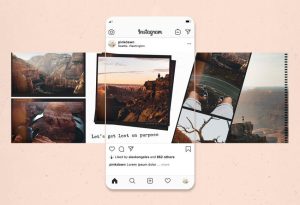
A carousel post is a type of social media content format that allows you to upload and share multiple pieces of media (usually between 2 to 10) in a single post. Viewers can swipe or click through the content horizontally, creating an interactive experience.
Different platforms offer carousel functionality:
-
Instagram: Up to 10 images or videos.
-
LinkedIn: Multi-page PDF slides shown as swipeable content.
-
Facebook: Multiple images or links that users can scroll horizontally.
-
Twitter/X (limited use): Some limited carousel functions with ads.

Why Are Carousel Posts So Popular?
Carousel posts are effective because they combine several powerful elements of digital engagement:
1. Increased Engagement
Multiple slides encourage viewers to spend more time on your post. The interactive swiping action boosts dwell time, which many algorithms favor.
2. Storytelling Capability
Instead of cramming information into a single image or caption, you can break your message into clear, digestible parts across multiple slides.
3. Versatility
Whether you’re educating, entertaining, promoting, or storytelling — carousel posts are highly adaptable.
4. Higher Content Value
Audiences feel like they’re receiving more value because you can pack more useful information into a single post.
5. Algorithm Boost
Social media algorithms often favor carousel posts due to the higher interaction rate, leading to improved visibility.
Top Platforms for Carousel Posts
The platform where carousel posts first gained mainstream attention. Businesses and influencers use them for:
-
Tutorials and how-tos
-
Product showcases
-
Step-by-step guides
-
Mini blogs
Perfect for professional storytelling:
-
Thought leadership
-
Industry tips
-
Personal experiences
-
Business case studies
Often used by brands to:
-
Showcase multiple products
-
Highlight service packages
-
Share event recaps
Carousel-style “Idea Pins” allow creators to combine multiple images, text, and video in one interactive format.
When to Use Carousel Posts
Here are some ideal scenarios for using carousel posts:
-
Tutorials and How-To Guides: Break down complex processes into step-by-step visuals.
-
Before-and-After Comparisons: Perfect for industries like fitness, home design, or beauty.
-
Product Launches: Showcase multiple features or variations.
-
Infographics: Turn statistics and data into a visually engaging slide deck.
-
Storytelling: Share your journey, case studies, or customer success stories.
-
Content Repurposing: Recycle blog content into multiple slides for quick educational posts.
How to Create an Effective Carousel Post
1. Start with a Hook
Your first slide needs to immediately capture attention. Ask a question, state a bold fact, or use an eye-catching graphic.
2. Maintain Visual Consistency
Use consistent fonts, colors, and layouts to create a cohesive feel across all slides.
3. Use Short, Clear Text
Each slide should focus on a single point. Avoid cramming too much information onto one slide.
4. Tell a Story
Think of your carousel as a mini-story with a clear beginning, middle, and end.
5. End with a Strong Call-to-Action (CTA)
Prompt viewers to like, comment, share, or click a link after they’ve gone through your slides.
Design Tools for Carousel Posts
Many tools make carousel creation easy and visually appealing:
-
Canva: Offers pre-made templates optimized for carousel formats.
-
Adobe Express: Great for professional-quality designs.
-
Figma: Useful for more customized and collaborative design projects.
-
Photoshop: Full design control for advanced users.
-
Microsoft PowerPoint: Surprisingly effective for LinkedIn PDF carousels.
Best Practices for Each Platform
-
Size: 1080×1080 pixels or 1080×1350 for vertical orientation.
-
Use motion or animations in the first slide to capture attention.
-
Optimize your caption to encourage swiping.
-
Save carousels as PDFs.
-
Use clear titles and cover slides to catch attention.
-
Keep text concise and professional.
-
Mix products, headlines, and clear CTAs.
-
Use dynamic headlines for each card if promoting products or services.
The Psychology Behind Carousel Effectiveness
The power of carousel posts lies in micro-engagement. By encouraging small interactions like swiping, they:
-
Build anticipation.
-
Reward curiosity.
-
Provide bite-sized information.
-
Feel less overwhelming than long-form posts.
This keeps users engaged longer and builds trust in your content.
Common Mistakes to Avoid
-
Overloading slides with too much text.
-
Using inconsistent visuals.
-
Forgetting a CTA at the end.
-
Making slides too similar without progression.
-
Using low-resolution or poorly formatted images.
Carousel Post Analytics: Measuring Success
Most platforms provide insights into carousel performance. Key metrics to track:
-
Swipe-through rate: How many users view all slides.
-
Engagement rate: Likes, comments, shares.
-
Saves and shares: Higher on educational content.
-
Reach and impressions: How widely the post is seen.
Use these metrics to refine your future carousel content.
Carousel Post Case Studies
1. E-Commerce Brand
A fashion retailer used a carousel to showcase its summer collection, with each slide featuring a different outfit. The post saw:
-
40% higher engagement than static posts.
-
25% more product page clicks.
2. LinkedIn Thought Leader
A consultant shared a 10-slide carousel on “Top Leadership Mistakes.” It:
-
Went viral with over 500,000 views.
-
Gained thousands of new followers.
3. Fitness Influencer
A personal trainer used before-and-after carousels showing client transformations. Results included:
-
Massive shareability.
-
High DM inquiries for coaching services.
The Future of Carousel Posts
As platforms evolve, carousel posts will likely:
-
Incorporate more video and interactive elements.
-
Be integrated into paid ads with swipeable storytelling.
-
Gain AI-assisted design tools for easier creation.
-
Work across newer platforms like Threads or decentralized networks.
Conclusion
Carousel posts are one of the most effective ways to boost engagement, deliver value, and build your brand on social media.
They offer the perfect balance between storytelling and interactivity, allowing you to connect with your audience in a deeper, more meaningful way.
Whether you’re a business owner, marketer, or personal brand, mastering carousel posts can dramatically improve your online presence. Start experimenting today, track your results, and watch your engagement soar.
FAQ: Carousel Post – Boosting Engagement & Storytelling
Q1: What is a carousel post?
A carousel post allows you to share multiple images, videos, or slides in a single social media post that viewers can swipe or scroll through.
Q2: Which platforms support carousel posts?
Popular platforms include Instagram, LinkedIn, Facebook, and Pinterest, each with its own format and limits.
Q3: Why are carousel posts effective?
They increase engagement by encouraging users to interact, spend more time on your content, and absorb information in smaller, swipeable chunks.
Q4: How many slides can I use in a carousel?
Most platforms allow 10 slides (Instagram), multiple PDF pages (LinkedIn), or several images (Facebook), depending on the platform’s rules.
Q5: What types of content work best for carousel posts?
Tutorials, product showcases, step-by-step guides, before-and-after comparisons, storytelling, and infographics are highly effective.
Q6: What design tips should I follow?
Use a strong hook on the first slide, keep text concise, maintain visual consistency, and always include a clear call-to-action at the end.
